


DynamoDB Cache Definition
A DynamoDB cache is a layer that stores frequently accessed DynamoDB data in memory to reduce read latency and offload capacity from the underlying table. The most common form of DynamoDB caching is Amazon DynamoDB Accelerator (DAX), a fully managed, write-through cache that handles DynamoDB API calls and returns eventually consistent reads in a shorter SLA instead of the single-digit milliseconds a native DynamoDB read typically takes. Teams that need more flexibility than DAX offers often build DynamoDB caching around Amazon ElastiCache for Redis, implementing cache-aside or read-through logic in the application layer instead.
DAX-based DynamoDB caching maintains two separate internal stores: an item cache for GetItem and BatchGetItem results, and a query cache for Query and Scan result sets. Because these two caches operate independently, updating an item does not refresh any Query or Scan results that were already cached — a detail that surprises teams the first time they see stale list results after a successful write. An AWS DynamoDB cache cluster defaults to a five-minute TTL on both caches, which can be adjusted at the cluster level through a custom parameter group, though not per item or per partition.
Because DAX and ElastiCache both add a separate infrastructure layer, teams evaluating a DynamoDB cache strategy have to weigh the operational cost of running, and paying for, a caching cluster against the latency they need. That tradeoff is central to how DynamoDB cache decisions get made, and it’s the same tradeoff that databases with built-in caching, like ScyllaDB, are designed to remove.
Key Components of DynamoDB Cache Architecture
An AWS DynamoDB cache built on DAX runs as a managed cluster inside a VPC, with a primary node and up to ten read-replica nodes. Application code talks to the DAX client, which behaves like the DynamoDB SDK, so switching from a direct DynamoDB connection to a DynamoDB in-memory cache is typically a small code change rather than a rewrite.
On the write path, DAX passes PutItem, UpdateItem, DeleteItem, BatchWriteItem, and TransactWriteItems straight through to DynamoDB synchronously. Only after DynamoDB confirms the write does DAX update its item cache and asynchronously replicate that update to the other nodes in the cluster. During this window, different nodes may briefly serve different cached values. This write-through DynamoDB cache strategy means the cache can never hold a value that failed to persist, but it also means writes issued through DAX take marginally longer than writes issued directly to DynamoDB, because of the added network hop.
Reads default to eventually consistent, which DAX serves from its item cache on a hit and forwards to DynamoDB on a miss, caching the result on the way back. Strongly consistent reads and TransactGetItems are never served from cache — they are routed to DynamoDB via the DAX nodes, which incurs additional round-trip latency overheads. DAX also caches negative results, meaning a GetItem for a key that doesn’t exist is remembered as “not found” until its TTL expires, which prevents repeated misses from hammering the base table.
ScyllaDB vs. DynamoDB Cache: Built-In Caching vs. a Bolt-On Layer
DAX and ElastiCache both solve DynamoDB’s read-latency problem by adding a second system in front of the database. ScyllaDB takes a different approach: every ScyllaDB node ships with a built-in, shard-aware row cache that keeps hot rows in memory local to the shard that owns them. There’s no separate cluster to provision, no additional network hop between the application and the cache, and no cache-specific configuration to maintain, because the cache is part of the database process itself.
The caching strategy is also structurally different. DAX is a write-through cache, which means every write pays the cost of updating the cache regardless of whether that data is ever read again. ScyllaDB’s row cache is read-through, populated only when data is actually requested, which avoids the write amplification that comes with keeping a write-through cache warm for data nobody reads. ScyllaDB also supports tunable consistency, reading with QUORUM or LOCAL_ONE while the cache is active, whereas a DynamoDB cache is eventually consistent only; strongly consistent reads have to skip the cache entirely.
Cost follows the same pattern. DAX bills per node-hour continuously, with a minimum of three nodes recommended for high availability, on top of the DynamoDB table costs it’s meant to reduce. That’s a fixed, always-on bill regardless of the traffic it’s able to absorb from the Table. ScyllaDB’s row cache has no separate charge or provisioning step. It scales with the node’s available memory automatically. For teams evaluating a DynamoDB cache purely to control latency and cost, that’s the core question ScyllaDB’s architecture is designed to remove: whether a caching layer needs to be a separate system at all.
How DynamoDB Cache Write-Through and TTL Expiration Work
A DynamoDB cache built on DAX keeps its item cache in sync with the underlying table entirely through the write path, not through any invalidation signal from DynamoDB itself. When a write goes through the DAX client, DAX forwards it to DynamoDB first and waits for confirmation. Only a successful write updates the item cache; a failed write leaves the cache untouched, so the cache can never diverge into holding an item that doesn’t actually exist in the table.
TTL is the other half of the invalidation model. Both the item cache and the query cache expire entries after a default of five minutes, adjustable at the cluster level via a custom parameter group but not per item or per query. That means the query cache in particular can serve a stale Query or Scan result for up to the full TTL window even after the underlying items changed, because query results are invalidated purely by time, not by tracking which items they depend on.
The gap this creates is straightforward: any write that bypasses DAX, such as an update made directly against the DynamoDB table by another service, batch job, or the AWS console, is invisible to the cache until that item’s TTL expires or something rewrites it through DAX. Teams running a DynamoDB cache in production generally route all writes through DAX for this reason, since mixed write paths are the most common source of unexpected staleness.
How ScyllaDB’s Cache Invalidation Compares
ScyllaDB’s row cache doesn’t need a write-through path to stay consistent because it isn’t a separate system tracking a copy of the data, but instead is a memory-resident state inside the same process that owns the row. A write updates the row directly; there’s no second cache entry elsewhere that can drift out of sync with it, and no TTL window during which a stale value can be served.
That removes the specific failure mode a DynamoDB cache strategy has to design around: a write that bypasses the cache layer. Because there’s no separate cache layer to bypass, every write path, whether it comes through the application, a batch job, or an administrative tool, is reflected the moment the row itself is updated. Combined with tunable consistency levels, this gives ScyllaDB a caching model where staleness windows and mixed-write-path bugs (two of the most commonly cited DynamoDB cache limitations) aren’t tradeoffs teams have to manage in the first place.
Difference Between DAX Item Cache vs. Query Cache
| Aspect | Item Cache | Query Cache |
|---|---|---|
| Populated by | GetItem, BatchGetItem | Query, Scan |
| Keyed by | Primary key | Full query/scan parameters |
| Invalidated by writes to the item? | Yes, after DynamoDB confirms the write | No — only expires via TTL |
| Default TTL | 5 minutes (cluster-configurable) | 5 minutes (cluster-configurable) |
| Caches negative results? | Yes | Not applicable |
DynamoDB Cache Limitations Explained
No On-Demand Cache Invalidation
DAX has no API for clearing a specific key or query result on demand. The only ways an entry leaves the cache are TTL expiration, LRU eviction under memory pressure, or a fresh write-through operation, although operational events such as node replacement or restart can also clear cached data. Teams that need to force-clear a value immediately, for a data correction or a compliance request, generally have to wait out the TTL or restart the cluster.
Query Cache Never Reflects Item-Level Updates
Because the query cache and item cache are fully independent, updating an item through DAX does not refresh any previously cached Query or Scan result that included that item. A list view built on a cached Scan can display outdated data for up to the full TTL window, even though a direct GetItem for the same item would return the fresh value.
DynamoDB-Only, No Cross-Source Caching
DAX is API-compatible with DynamoDB specifically and can’t be pointed at any other data source. Applications that need a shared cache across DynamoDB and another database or service have to run a second, general-purpose cache like Redis alongside DAX rather than consolidating on one caching layer.
No Multi-Region Replication
A DAX cluster is regional. Multi-region DynamoDB deployments using Global Tables don’t get a matching multi-region cache — each region needs its own independently managed DAX cluster, with its own TTL and eviction behavior, adding operational overhead to an already multi-region setup.
Mandatory Multi-Node Minimum for High Availability
AWS recommends a minimum of three DAX nodes across multiple availability zones for production use, and node-to-node replication within the cluster is itself eventually consistent — typically converging in under a second, but not instant. That means two application instances reading from different nodes in the same DAX cluster can briefly see different values for the same key.
How Much Does DynamoDB Cache Cost?
DAX pricing is based on node-hours, billed continuously regardless of how much traffic the cache actually serves. A production-grade DynamoDB cache with the recommended three-node minimum runs 24/7, and that cost sits on top of the DynamoDB table costs, the cache is meant to reduce. If not properly tuned, DAX won’t scale down automatically, having teams pay for peak capacity even during idle periods. Adding read replicas for higher throughput adds more nodes billed the same way.
ScyllaDB Costs vs. DynamoDB Cache Pricing
ScyllaDB’s row cache carries no separate line item — it’s included in the cost of running the database and scales automatically with the memory available on each node. That removes one of the two bills a DynamoDB cache strategy usually creates: instead of paying for DynamoDB capacity plus a continuously running DAX cluster, ScyllaDB consolidates storage, throughput, and caching into a single system. For teams that adopted DAX specifically to bring DynamoDB’s read latency down, that consolidation is often the more direct way to solve the same problem: a database designed with the cache built in, rather than a database with a cache added on afterward.
Cost savings
ScyllaDB guarantees at least 50% cost savings on equivalent workloads migrating off DynamoDB. The resource-based pricing model eliminates the engineering overhead of capacity planning, throttling monitoring, auto scaling configuration, and hot partition troubleshooting — work that consumes ongoing engineering time under DynamoDB’s provisioned capacity model. Since ScyllaDB is DynamoDB API-compatible, teams can benchmark existing workloads directly against a ScyllaDB cluster using their current application code before committing to migration.
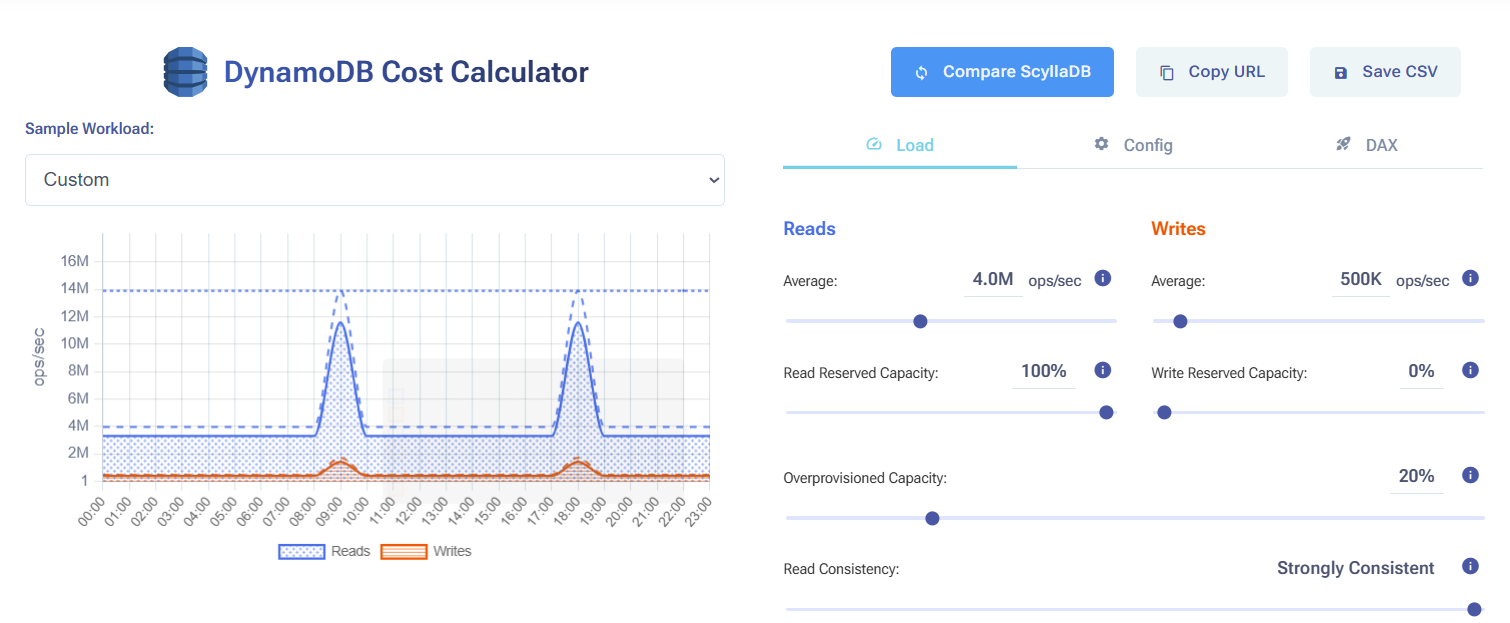
Compare ScyllaDB costs vs DynamoDB costs in this interactive calculator
DynamoDB Cache FAQs
Can you use DynamoDB as a cache?
DynamoDB itself is a persistent database, not a cache, but it’s commonly placed behind a cache rather than used as one. A DynamoDB cache, most often DAX, sits in front of DynamoDB tables to absorb read traffic and return data faster than DynamoDB’s native single-digit-millisecond response time. Some teams use a DynamoDB Time to Live (TTL) attribute to expire session-style records, which resembles cache-like behavior, but that’s a data-lifecycle feature of the table itself, not a caching layer.
How does DynamoDB cache invalidation work?
DAX invalidates its item cache automatically: because writes are write-through, DynamoDB confirms the write first, and DAX only updates its item cache after that confirmation succeeds. The query cache works differently where a PutItem or UpdateItem does not invalidate any previously cached Query or Scan results, so a cached list can stay stale until its own TTL expires, independent of what happened to the underlying items. There’s no on-demand invalidation for an individual key or query in DAX; TTL expiration, LRU eviction, or a fresh write-through operation are the only ways an entry clears.
What are DynamoDB Cache limitations?
The main limitations are the same handful of tradeoffs: no per-item or per-partition TTL control, no on-demand invalidation, a query cache that never reflects item-level writes, no built-in multi-region replication, and eventual consistency only. Strongly consistent reads and TransactGetItems always bypass the cache entirely. Running DAX also means provisioning and paying for a separate cluster, with a minimum of three nodes recommended for high availability.
DynamoDB Cache vs. Redis: What’s the Difference?
DAX is purpose-built for DynamoDB and requires small code changes, but it only works with DynamoDB, offers no complex data structures, and provides no fine-grained invalidation controls. Redis, typically run through Amazon ElastiCache, supports lists, sets, sorted sets, and pub/sub, and can sit in front of any data source, not just DynamoDB. But because Redis in front of DynamoDB isn’t API-compatible, the application has to implement its own cache-aside or write-through logic, including invalidation, instead of getting it automatically. This introduces cache invalidation risks where applications fail to secure changes to the cache once they are committed to the database.
AWS ElastiCache vs. DynamoDB: Which Caching Layer Should You Use?
Choose DAX when the workload is DynamoDB-only, read-heavy, and latency-sensitive, and the team wants the smallest possible implementation lift. Choose ElastiCache for Redis when the application needs data structures DAX doesn’t support, needs to cache data from multiple sources beyond DynamoDB, or needs tighter control over eviction and invalidation behavior than DAX exposes. Both add an operational layer that has to be sized, monitored, and paid for continuously, regardless of whether traffic is high or idle.
Related Resources
How to Reduce DynamoDB Costs: Expert Tips from Alex DeBrie: DynamoDB consultant Alex DeBrie shares where teams tend to get into trouble.
Understanding The True Cost of DynamoDB: Analyzing the impact of peaks, DAX, global tables, and other cost multipliers
The Hidden Insanity of DynamoDB Pricing: Learn how to navigate some of the sneakiest aspects of DynamoDB pricing.
How you should think about DynamoDB costs: An overview about how DynamoDB pricing works, then a few examples of how Alex DeBrie uses this to make decisions about DynamoDB costs.
Why AWS DynamoDB Costs Catch Teams Off Guard: From inevitable overprovisioning to the “on-demand” tax: why AWS DynamoDB costs are bloody hard to control.
Understanding DynamoDB Cost Spikes Through Real Usage Scenarios: Why real-world DynamoDB usage scenarios often lead to unexpected expenses.