


How DynamoDB Provisioned Capacity Works
DynamoDB provisioned throughput is expressed in two distinct dimensions—reads and writes—which are provisioned, scaled, and billed independently. Understanding both dimensions, and how DynamoDB enforces them at the partition level, is essential for accurate capacity planning.
Read Capacity Units (RCUs)
One RCU represents one strongly consistent read per second for an item up to 4 KB in size—or two eventually consistent reads per second at the same item size. Transactional reads consume 2 RCUs per 4 KB. DynamoDB rounds item sizes up to the nearest 4 KB block: a 5 KB item consumes 2 RCUs for a strongly consistent read (5 KB ÷ 4 KB = 1.22, rounded up to 2 blocks). Items larger than 4 KB multiply RCU consumption proportionally.
Write Capacity Units (WCUs)
One WCU represents one write per second for an item up to 1 KB in size. Transactional writes consume 2 WCUs per 1 KB. DynamoDB rounds write sizes up to the nearest 1 KB block. Writes cost significantly more than reads per unit of throughput—making write-heavy workloads particularly sensitive to WCU provisioning accuracy. In any capacity mode, DynamoDB writes cost at least 5x more than reads per equivalent operation.
DynamoDB Pricing Example
To recap:
- 1 WCU covers up to 1KB of data
- 1 RCU covers up to 4KB of data (assuming consistent read operation)
Assuming an item size of 4KB:
- 4 WCUs will be consumed to write it
- 1 RCU will be consumed to read it
In this example of a 4KB item, writing it is actually 20x more expensive than reading it.
Token bucket enforcement
DynamoDB enforces provisioned throughput using a token bucket algorithm applied independently at the partition level. Each partition holds a bucket of tokens representing its allocated read and write capacity—bounded at 3,000 RCUs and 1,000 WCUs per partition. Each request consumes tokens proportional to the RCUs or WCUs required. When a partition’s token bucket runs dry, DynamoDB rejects incoming requests with a ProvisionedThroughputExceededException, regardless of whether other partitions have unused capacity. This partition-level enforcement is what causes hot partition throttling on tables that appear, at the aggregate level, to be within their provisioned limits.
Burst capacity
DynamoDB retains up to 5 minutes (300 seconds) of unused read and write capacity per partition as a burst buffer. This DynamoDB burst capacity can absorb sudden, short-duration spikes that would otherwise trigger throttling immediately. Burst tokens are drawn down before standard throttling applies—but they are not guaranteed. AWS may consume burst capacity for internal maintenance tasks without notice, and once exhausted, partition-level throttling applies immediately at the 3,000 RCU / 1,000 WCU ceiling.
Adaptive capacity
Adaptive capacity is a built-in DynamoDB mechanism that redistributes unused throughput from underutilized (cold) partitions to overloaded (hot) partitions. It is enabled automatically on every table at no additional cost, and can direct up to the full partition maximum of 3,000 RCUs and 1,000 WCUs to a single hot partition key if needed. However, adaptive capacity responds on a minute-scale timescale—far too slow to prevent throttling from sudden bursts or rapidly shifting access patterns. It is effective for gradual, sustained skew, not for traffic spikes.
What is the difference between DynamoDB provisioned vs on demand capacity?
DynamoDB provisioned capacity vs on-demand represents a fundamental tradeoff between cost predictability and operational simplicity.
| Dimension | Provisioned Capacity | On-Demand Capacity |
|---|---|---|
| Pricing model | Hourly rate per provisioned RCU/WCU | Per-request Read/Write Request Units |
| Cost at sustained load | Up to 80% cheaper per request unit | ~5x more expensive per unit |
| Capacity planning required? | Yes — set RCU/WCU in advance | No — DynamoDB scales automatically |
| Throttling trigger | Provisioned partition limits exceeded | Requests exceed 2x previous peak in the last 30 minutes |
| Supports auto scaling? | Yes — Application Auto Scaling | Not applicable |
| Reserved capacity discounts? | Yes — 1-year or 3-year terms | No |
| Best for | Predictable, sustained workloads | Highly variable or unknown traffic |
On-demand mode removes the need to specify RCU and WCU values upfront, but it does not eliminate DynamoDB throttling. On-demand throttling occurs when requests exceed twice the table’s previous peak throughput in the last 30 minutes — a threshold that surprises teams running irregular or seasonal workloads. The only mitigations are pre-warming via Warm Throughput or redesigning access patterns. For workloads with sustained, predictable traffic, provisioned capacity with auto scaling is substantially more cost-efficient.
How does DynamoDB auto scaling work with provisioned capacity?
DynamoDB auto scaling manages throughput at the table level. It monitors CloudWatch consumed capacity metrics and adjusts provisioned RCUs and WCUs to maintain your target utilization. Scheduled scaling actions let you pre-warm capacity 10–15 minutes ahead of known traffic spikes, bypassing the 3–5 minute reactive scale-out trigger window entirely.
A critical limitation: auto scaling policies on a base table do not automatically propagate to Global Secondary Indexes. Each GSI requires its own independent scaling policy with separate min/max/target settings. A table with three GSIs requires four independent scaling policies. When a new GSI is added to an existing table, auto scaling is not enabled for it automatically—it must be configured manually after the GSI backfill completes and the index reaches Active status. This is among the most common sources of silent throttle incidents in production DynamoDB environments.
What are the limitations of DynamoDB Provisioned Capacity?
AWS DynamoDB provisioned capacity introduces several compounding operational burdens that compound at scale.
Throttling and ProvisionedThroughputExceededException
When requests exceed provisioned RCUs or WCUs at the partition level, DynamoDB returns a ProvisionedThroughputExceededException. The rejected request is not executed and no data is read or written but applications must handle this error explicitly. AWS SDKs implement automatic retry with exponential backoff, but the default configuration is insufficient for high-throughput production workloads. Correct handling requires tuning retry counts, backoff intervals, and jitter algorithms (AWS recommends full jitter or decorrelated jitter) to prevent thundering herd conditions where simultaneous retries re-saturate the partition immediately. Write retries on non-idempotent operations, conditional writes and side-effecting updates also require explicit idempotency auditing.
Hot partition bottlenecks
Provisioned capacity is distributed evenly across partitions, but production traffic rarely is. A single high-traffic partition key can exhaust its partition’s 3,000 RCU or 1,000 WCU ceiling and trigger DynamoDB throttling even when the table has substantial unused capacity in aggregate. Adaptive capacity redistributes idle throughput to hot partitions, but only on a minute-scale timescale which is too slow for sudden spikes. Resolving persistent hot partition throttling typically requires partition key redesign or write sharding, both of which require application changes and careful production rollouts. DynamoDB capacity planning at the table level often misses partition-level hot spots until they surface as incidents.
Per-table capacity silos
DynamoDB provisions capacity on a per-table basis. Unused throughput on an over-provisioned table cannot be reallocated to a neighboring table that needs it. For organizations operating many tables, this creates systematic over-provisioning across the fleet, inflating the DynamoDB bill without increasing actual delivered throughput.
On-demand mode does not eliminate throttling
Teams seeking to avoid provisioned capacity’s operational overhead sometimes switch to on-demand mode, but DynamoDB on-demand throttling still occurs when requests exceed twice the table’s previous peak in the last 30 minutes. For workloads with infrequent but large traffic spikes such as seasonal applications, event-driven pipelines and irregular batch jobs, the 2x-peak threshold can be hit unexpectedly. The only mitigation is pre-establishing a higher throughput baseline via Warm Throughput, or redesigning access patterns. On-demand mode also carries a cost premium of approximately 5x per request unit compared to provisioned mode at equivalent sustained load.
ScyllaDB vs. DynamoDB Provisioned Capacity
DynamoDB’s provisioned capacity model requires teams to estimate throughput in advance, manage throttling when estimates are wrong, and absorb the cost of idle capacity when they over-provision as a safety buffer. ScyllaDB takes a fundamentally different architectural approach — one that eliminates the provisioned capacity model entirely.
No provisioned capacity model
ScyllaDB charges based on cluster resources and CPU cores and storage rather than request units. There are no RCUs or WCUs to provision, no per-table capacity budgets, and no partition-level throughput ceilings. Throughput is bounded by the hardware in your cluster, not by configurable quotas that can be exhausted at arbitrary request rates. All tables sharing a ScyllaDB cluster draw from a shared pool of compute, so unused throughput capacity on one table is automatically available to others — eliminating the per-table capacity silo problem entirely.
No throttling from capacity limits
ScyllaDB does not implement a token bucket mechanism at the partition or table level. There is no ProvisionedThroughputExceededException equivalent. At hardware saturation, ScyllaDB increases tail latency rather than rejecting requests outright, giving teams a leading performance indicator before errors surface. ScyllaDB’s preemptive task scheduler, built on the Seastar framework, allocates CPU time across concurrent requests without enforcing external capacity quotas, and uses backpressure and load shedding to maintain system stability under extreme load rather than returning hard errors.
No GSI capacity complexity
In DynamoDB, each Global Secondary Index requires its own independently provisioned and scaled capacity, its own auto scaling policy, and its own throttling surface. In ScyllaDB, secondary indexes share the cluster’s resources alongside all other operations. There is no per-index capacity policy to configure, no risk of GSI throttling degrading base table writes, and no post-creation manual policy setup for new indexes.
Cost savings
ScyllaDB guarantees at least 50% cost savings on equivalent workloads migrating off DynamoDB. The resource-based pricing model eliminates the engineering overhead of capacity planning, throttling monitoring, auto scaling configuration, and hot partition troubleshooting — work that consumes ongoing engineering time under DynamoDB’s provisioned capacity model. Since ScyllaDB is DynamoDB API-compatible, teams can benchmark existing workloads directly against a ScyllaDB cluster using their current application code before committing to migration.
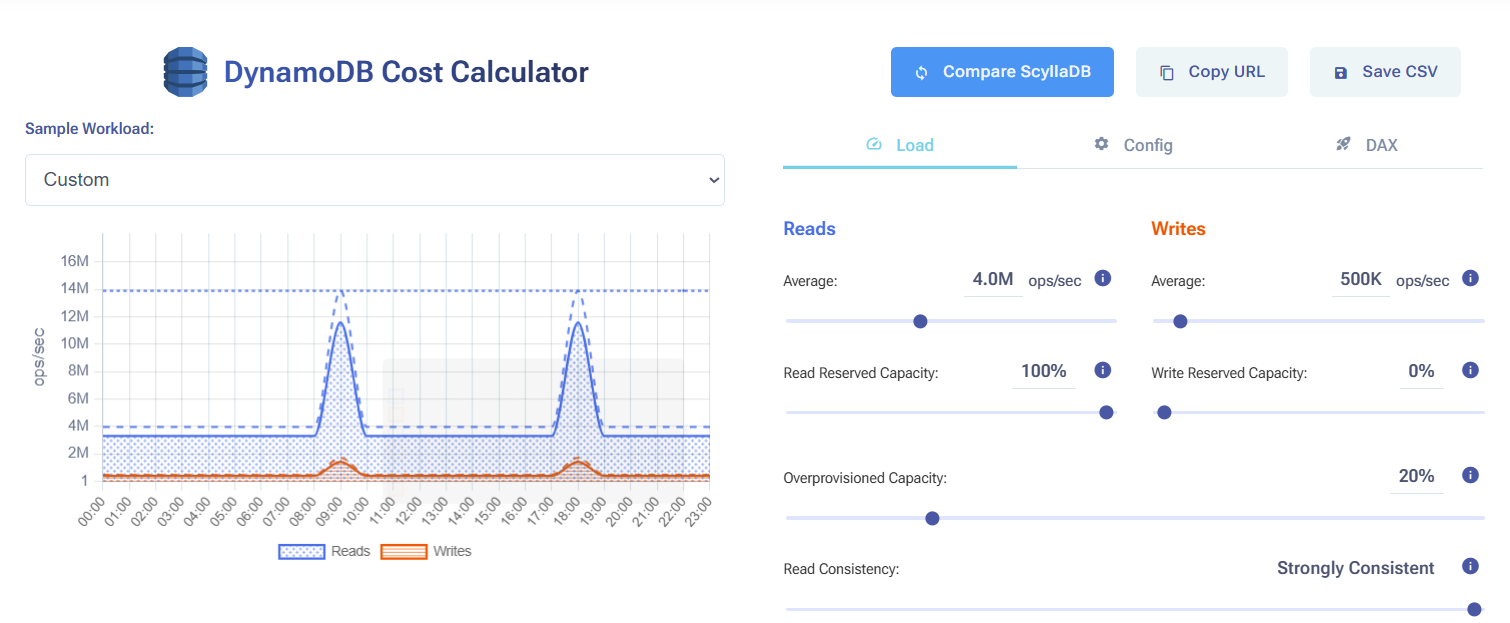
Compare ScyllaDB costs vs DynamoDB costs in this interactive calculator
Related Resources
How to Reduce DynamoDB Costs: Expert Tips from Alex DeBrie: DynamoDB consultant Alex DeBrie shares where teams tend to get into trouble.
Understanding The True Cost of DynamoDB: Analyzing the impact of peaks, DAX, global tables, and other cost multipliers
The Hidden Insanity of DynamoDB Pricing: Learn how to navigate some of the sneakiest aspects of DynamoDB pricing.
How you should think about DynamoDB costs: An overview about how DynamoDB pricing works, then a few examples of how Alex DeBrie uses this to make decisions about DynamoDB costs.
Why AWS DynamoDB Costs Catch Teams Off Guard: From inevitable overprovisioning to the “on-demand” tax: why AWS DynamoDB costs are bloody hard to control.
Understanding DynamoDB Cost Spikes Through Real Usage Scenarios: Why real-world DynamoDB usage scenarios often lead to unexpected expenses.